
This guide helps you purchase additional AI credits when you've reached your monthly limit and need to continue using AI-powered features like transcript review.
Understanding AI Credits
AI credits are used to review video and audio candidate responses using AI. Each transcript review consumes 1 credit per response.
Your plan includes a monthly allocation of AI credits that renews on your subscription date:
One Job plan: 50 credits per month
Startup plan: 100 credits per month
Growth plan: 100 credits per month
When you exhaust your monthly credits, you can purchase additional credits as add-ons. These add-on credits accumulate and never expire.
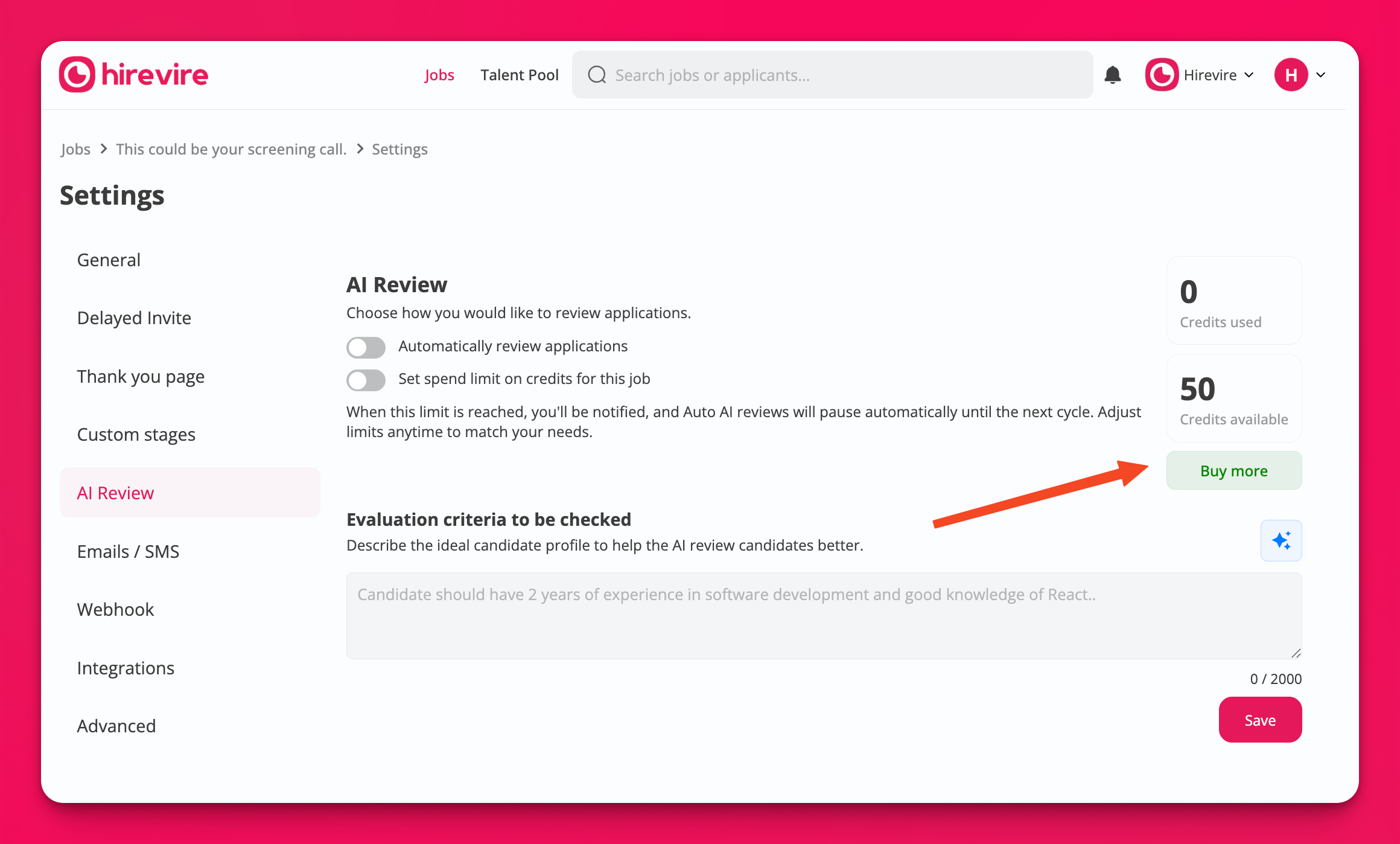
Add-on credits are separate from your monthly included credits. They don't reset each month and remain available until you use them.
Prerequisites
Before purchasing additional AI credits, ensure you meet these requirements:
Account role: You must be the organization owner or administrator to make purchases
Active subscription: You need a paid Hirevire plan (free accounts cannot purchase add-on credits)
Payment method: A valid credit card or payment method connected to your Stripe account
If you're not the account owner, you'll see a "Contact administrator" message when attempting to purchase credits. Reach out to your organization owner to complete the purchase.
How to Purchase Additional AI Credits
Follow these steps to buy more AI credits:
Step 1: Navigate to Billing Settings
Click your profile icon in the top right corner of HireVire
Select My account from the dropdown menu
Click the Billing tab to view your current credit balance and purchase options
Step 2: Check Your Current Balance
On the Billing page, you'll see your AI credit balance displayed in three parts:
Included: Your monthly credits from your subscription plan
Add-on: Any additional credits you've previously purchased
Total: Combined available credits
Monitor your credit balance regularly if you frequently use AI Review features. This helps you plan purchases before running out during critical hiring periods.
Step 3: Purchase Additional Credits
Scroll to the Buy additional AI credits section
Click the Buy more button
You'll be redirected to Stripe checkout to complete your purchase
The standard add-on package includes 100 credits for $9.99 USD
Complete the payment using your credit card or Apple Pay
Step 4: Confirm Your Purchase
After successful payment:
You'll be redirected back to your HireVire Billing page
Your credit balance will update immediately to reflect the new add-on credits
You can start using AI Review features right away with your additional credits
Your purchase is complete when you see the updated balance on your Billing page. The new credits are available immediately for use across all your jobs.
When You'll Need Additional Credits
You may encounter situations where HireVire prompts you to purchase more credits:
During AI Review: When viewing job applications and attempting to use "Review with AI" in bulk, you'll see a modal indicating "Not enough credits" if your balance is insufficient
Low credit warnings: Some AI modals will warn you when credits are running low
Blocked actions: AI-powered features will be blocked until you purchase additional credits or wait for your monthly renewal
Billing and Payment Details
Here's what to expect regarding billing for AI credit purchases:
Pricing: 100 credits cost $9.99 USD (fixed bundle size)
Payment processor: All purchases are processed securely through Stripe
Immediate access: Credits are added to your account instantly upon successful payment
No expiration: Add-on credits accumulate and never expire, unlike monthly included credits
Separate from subscription: Add-on purchases are one-time charges separate from your recurring subscription
If your payment fails, check with your bank or card provider. Common issues include card declines, insufficient funds, or security blocks on international transactions.
Troubleshooting Common Issues
Cannot See Purchase Button
If you don't see the "Buy more" button:
Verify you're logged in as the organization owner or administrator
Confirm you have an active paid subscription (not a free trial or expired plan)
Try refreshing the page or clearing your browser cache
Payment Declined
If your payment doesn't go through:
Verify your card details are correct in Stripe
Check with your bank for any security holds or international transaction blocks
Try an alternative payment method if available
Contact your payment provider for specific decline reasons
Credits Not Appearing After Purchase
If your balance hasn't updated after a successful payment:
Refresh the Billing page to see the latest balance
Log out and log back in to refresh your session
Wait a few minutes for the system to sync (though updates are typically instant)
If credits still don't appear after 10 minutes, contact support with your purchase confirmation
Related Resources
Learn more about AI credits and pricing:
AI Credit Consumption for Candidate Responses - Understand how credits are used per response
Pricing FAQ for Hirevire - General pricing information and plan comparisons
Hirevire Pricing Page - View all plans and included credits